
The SiteSight product

Built around the
work, not the software.

A practical workspace for keeping site progress, people, evidence and commercial decisions close together—while each user sees only what their role and permissions allow.
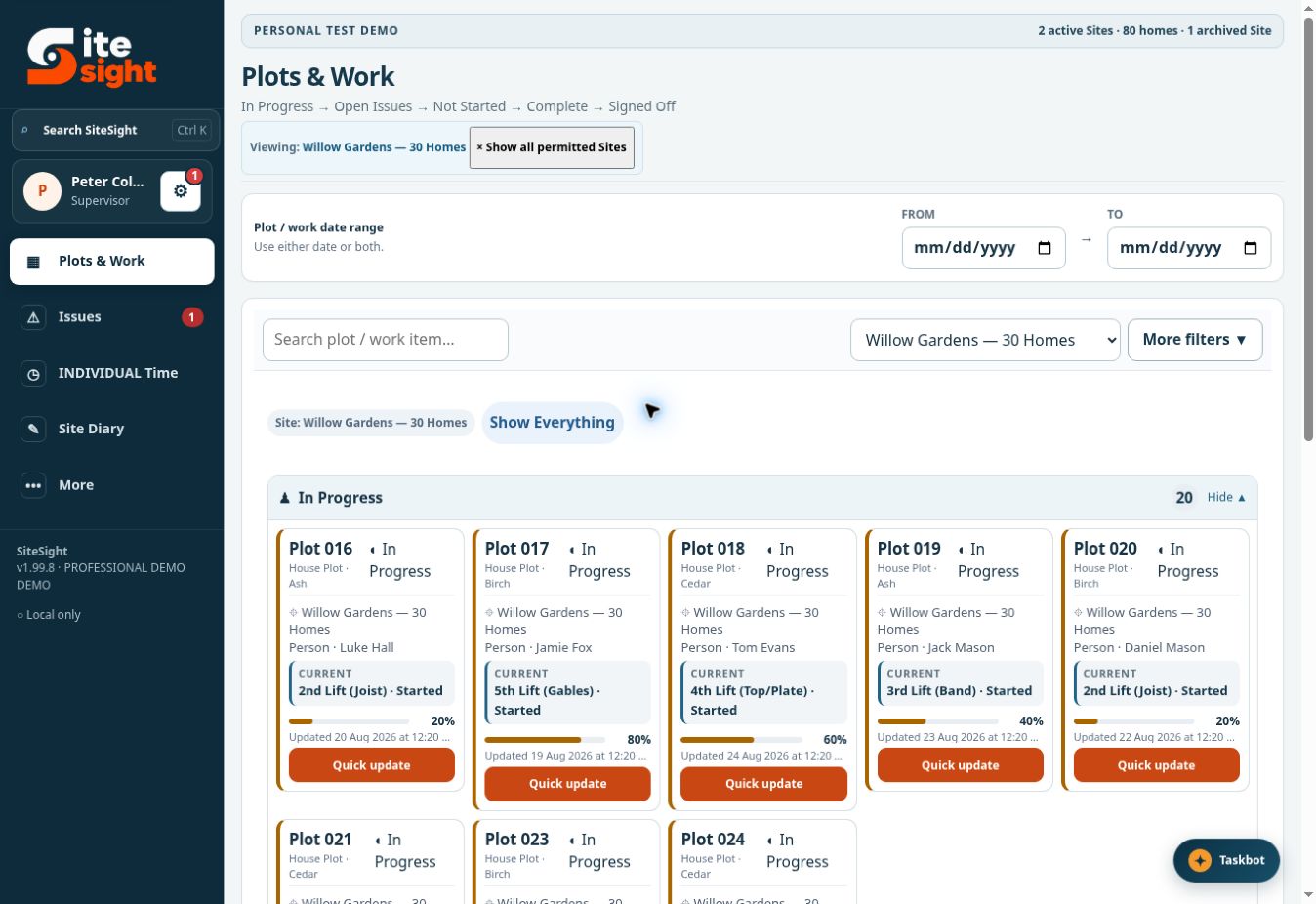
GENUINE PRODUCT VIEWSiteSight compact plots and work screen

One connected workspace

Follow the work from site update to commercial record.

Operational evidence is most useful when it stays connected. SiteSight keeps the site, plot, person, date and decision together while still separating permissions by responsibility.

Plot and work control

Track current lift, progress, responsibility, issues, photographs and sign-off against the exact work item.

Issues and evidence

Record priority, owner, target date, notes and photographs without separating the evidence from the plot.

Time and attendance

Support simple personal clocking, manager corrections, overtime decisions and permission-led weekly approval.

Drawings and take-off

Keep current revisions organised and attach measurements, highlights and notes to the relevant document.

Commercial control

Review set-price work, variations, retention, CIS, payment history and exact Pay Run states.

Connected site records

Bring diary activity, deadlines, leave, calendar notes and reports into the same operational picture.
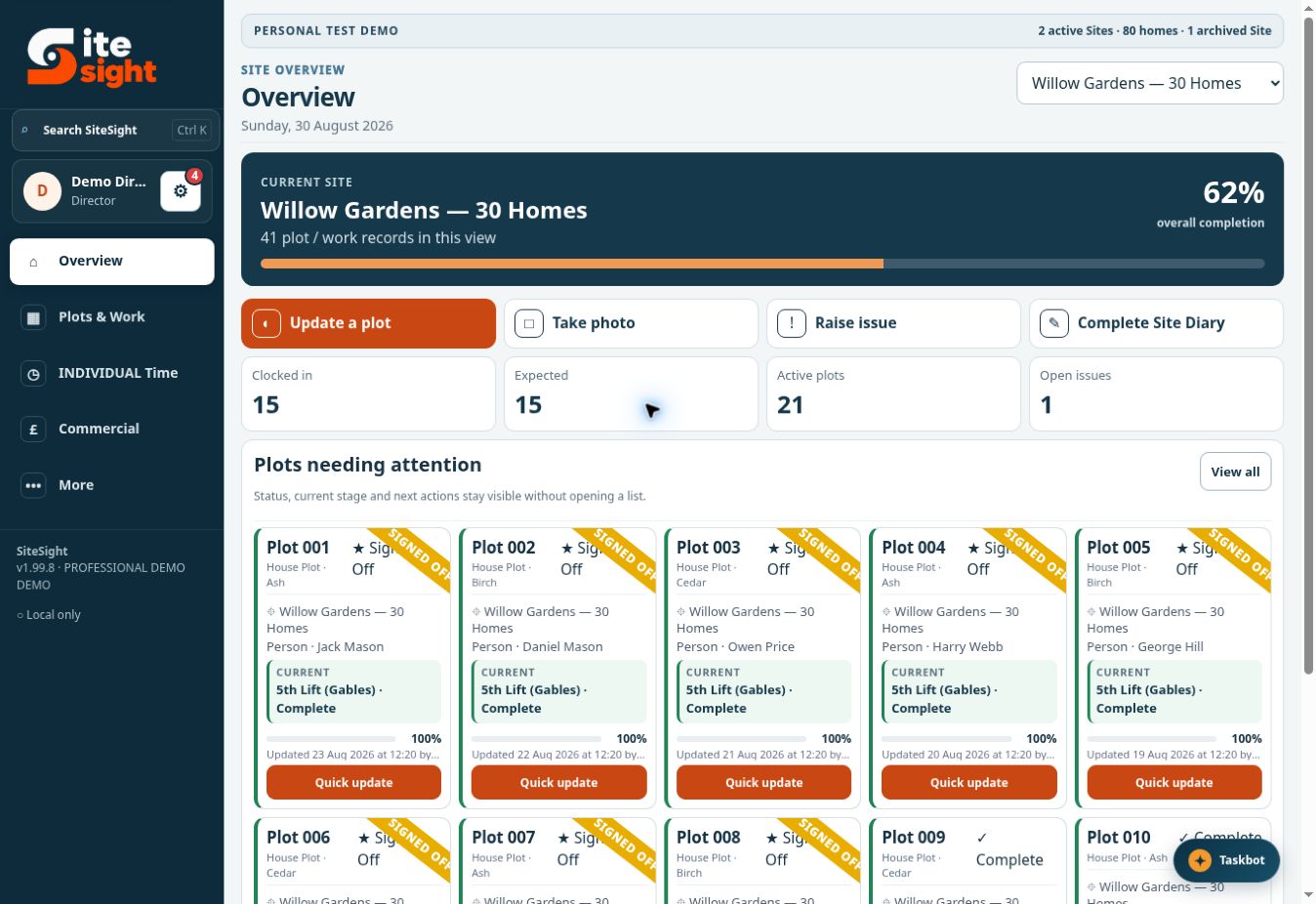
DIRECTOR · SITE OVERVIEWFICTIONAL DEMO
SiteSight Director overview showing a selected Site, metrics and plot cards
A genuine product view using fictional demonstration data.

Plot control

Site position first. Detail one click away.

Directors, Contracts Managers, Site Managers and Supervisors can scan the current Site, then open the exact plot or issue that needs attention.

  • Compact plot cards with current stage and completion
  • Clear distinction between in progress, complete and signed off
  • Named people, open issues and recent update information
  • Final access check before every plot or progress change
Plot cards and progress are never exposed to Operators, QS, Accounts or Read Only roles—even if an old permission remains in saved data.

Commercial control

Pay information stays compact and traceable.

Accounts can concentrate on due, approved and paid values without being placed into operational shift review by default. Shift and timesheet review can only be added to an Accounts user through an explicit Director decision.
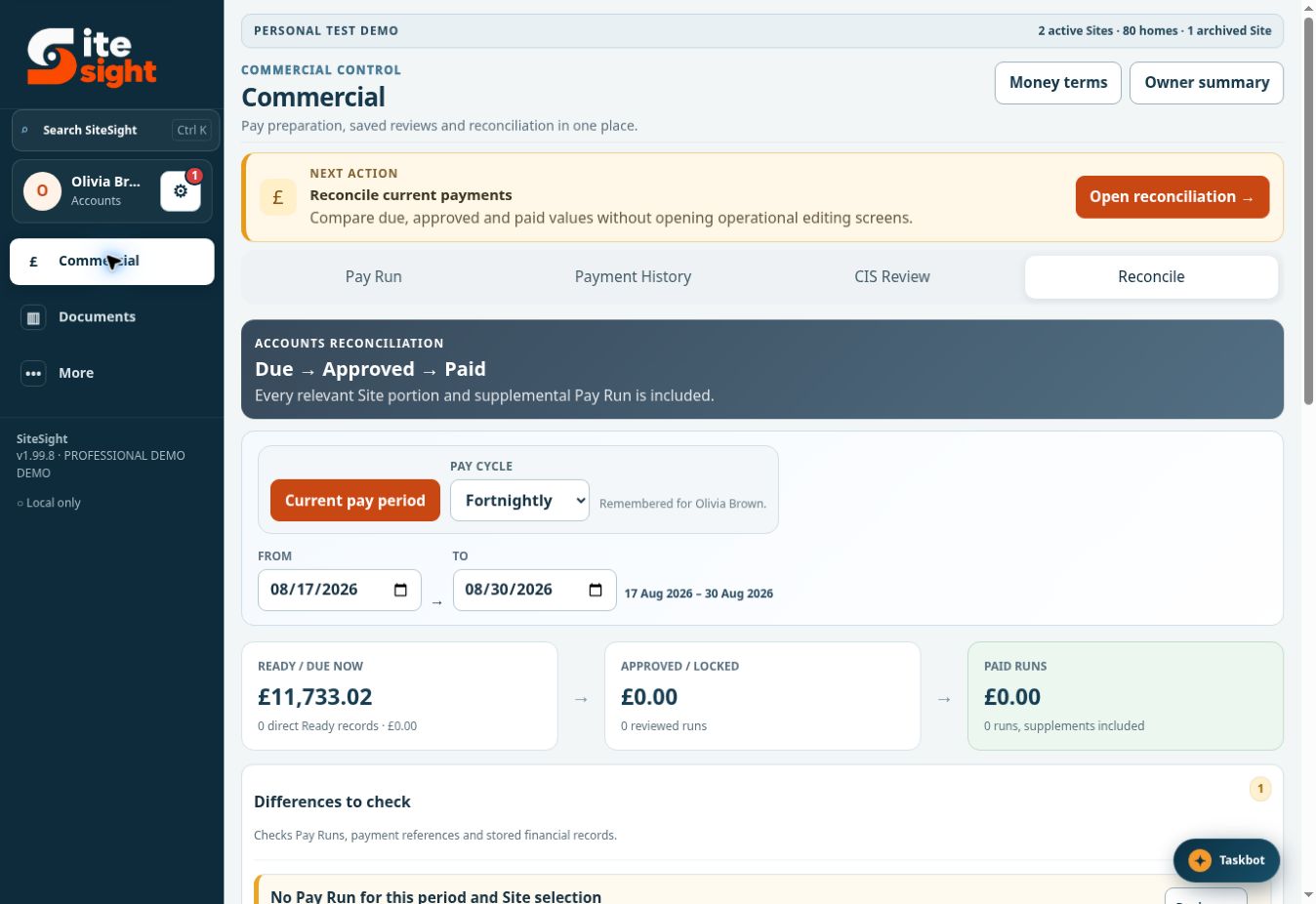
  • Due, approved and paid stages in one compact sequence
  • Pay Run references and reconciliation checks
  • CIS, retention, variations and payment history
  • Operational plot references redacted from lower-role reconciliation rows
ACCOUNTS · COMMERCIALFICTIONAL DEMO
SiteSight Accounts reconciliation screen
The Accounts demonstration shows financial actions—not shift or timesheet approval queues.
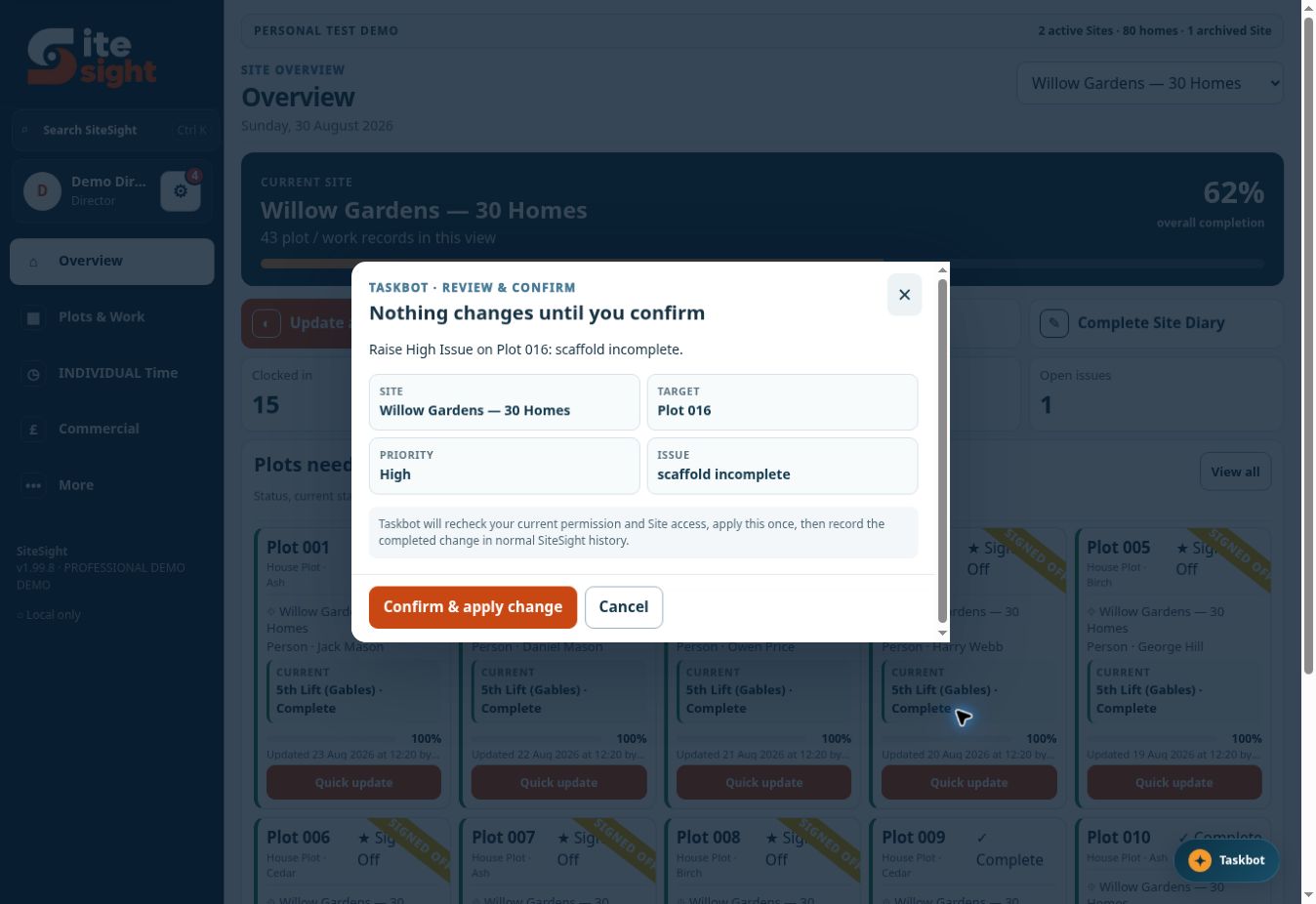
TASKBOT · REVIEW & CONFIRMFICTIONAL DEMO
SiteSight Taskbot displaying a Review and Confirm dialog
The change shown here has not happened. The user must deliberately confirm it.

Taskbot

Ask naturally. Keep control manually.

Taskbot accepts a typed request or supported browser voice input. It can explain screens, navigate to relevant tools and prepare supported changes.

  • Uses the signed-in user’s role, permissions and Site access
  • Shows the Site, target and requested values before a change
  • Requires Confirm & apply change for every record mutation
  • Rechecks permission immediately before applying the action
Typed Taskbot remains available when browser voice recognition is unavailable.

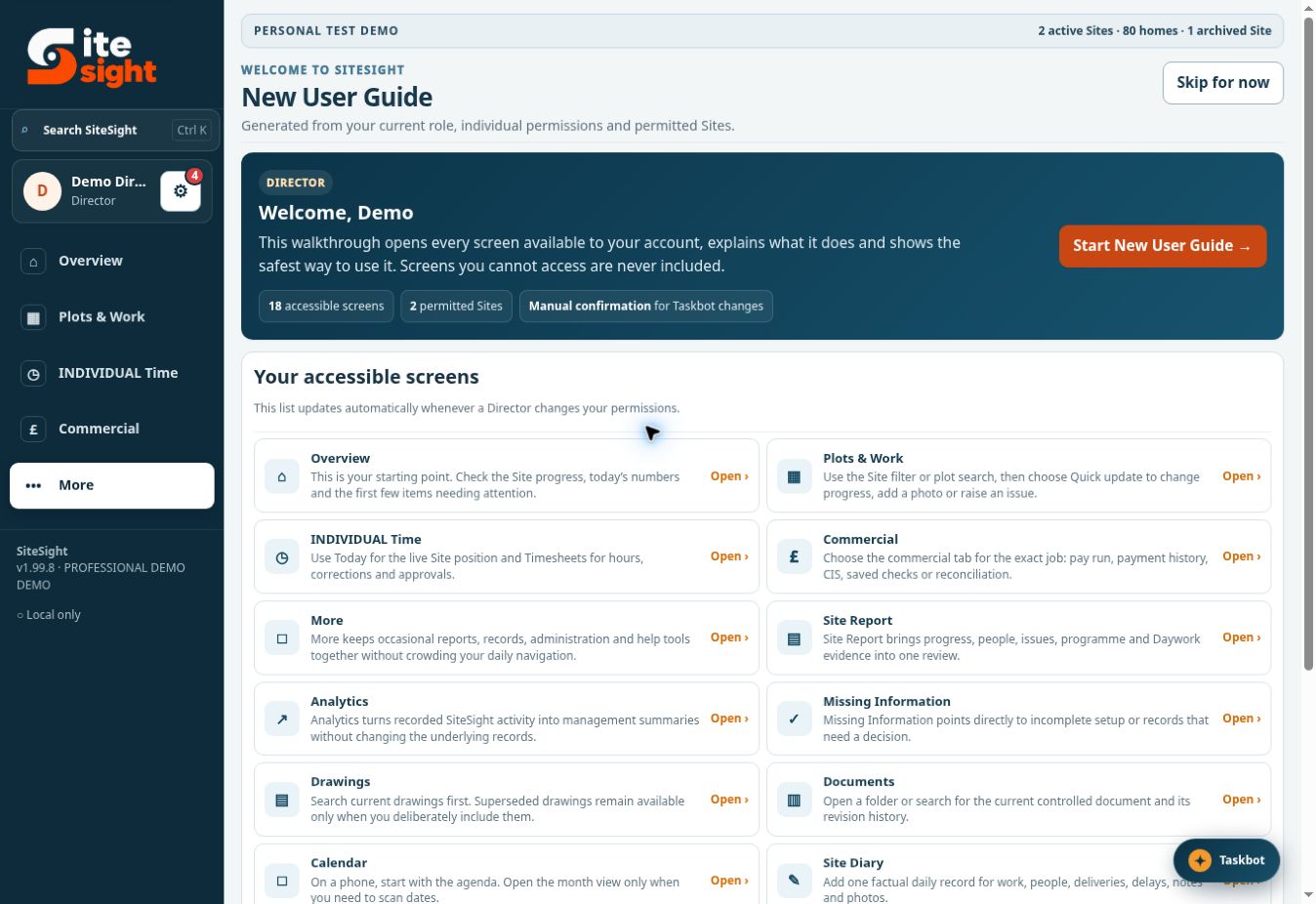
New User Guide

A first-day tour that respects permissions.

The guide starts automatically the first time a person signs in to the Normal or Demo edition. It builds the tour from that account’s accessible screens, rather than showing generic instructions for tools the person cannot use.
  • Automatic on first sign-in
  • Role, permission and Site-aware screen list
  • Plain-language explanation of each workspace
  • Available again later from Help
When permissions change, the accessible-screen list changes with them.
HELP · NEW USER GUIDEFICTIONAL DEMO
SiteSight New User Guide showing permission-specific screens
A genuine permission-generated guide from the demonstration.

See it working

Try the actual product screens—not a mock-up.

The public demonstration uses fictional data and lets you switch between guided user roles to see how the workspace changes.